Using Walmo
How to turn Instagram reels into a trip plan with Walmo
Connect Instagram once and DM reels, or share directly to Walmo. Learn what happens next and how saved locations become a workable trip.
 Walmo EditorialReviewed 3 November 2026 · 4 min read
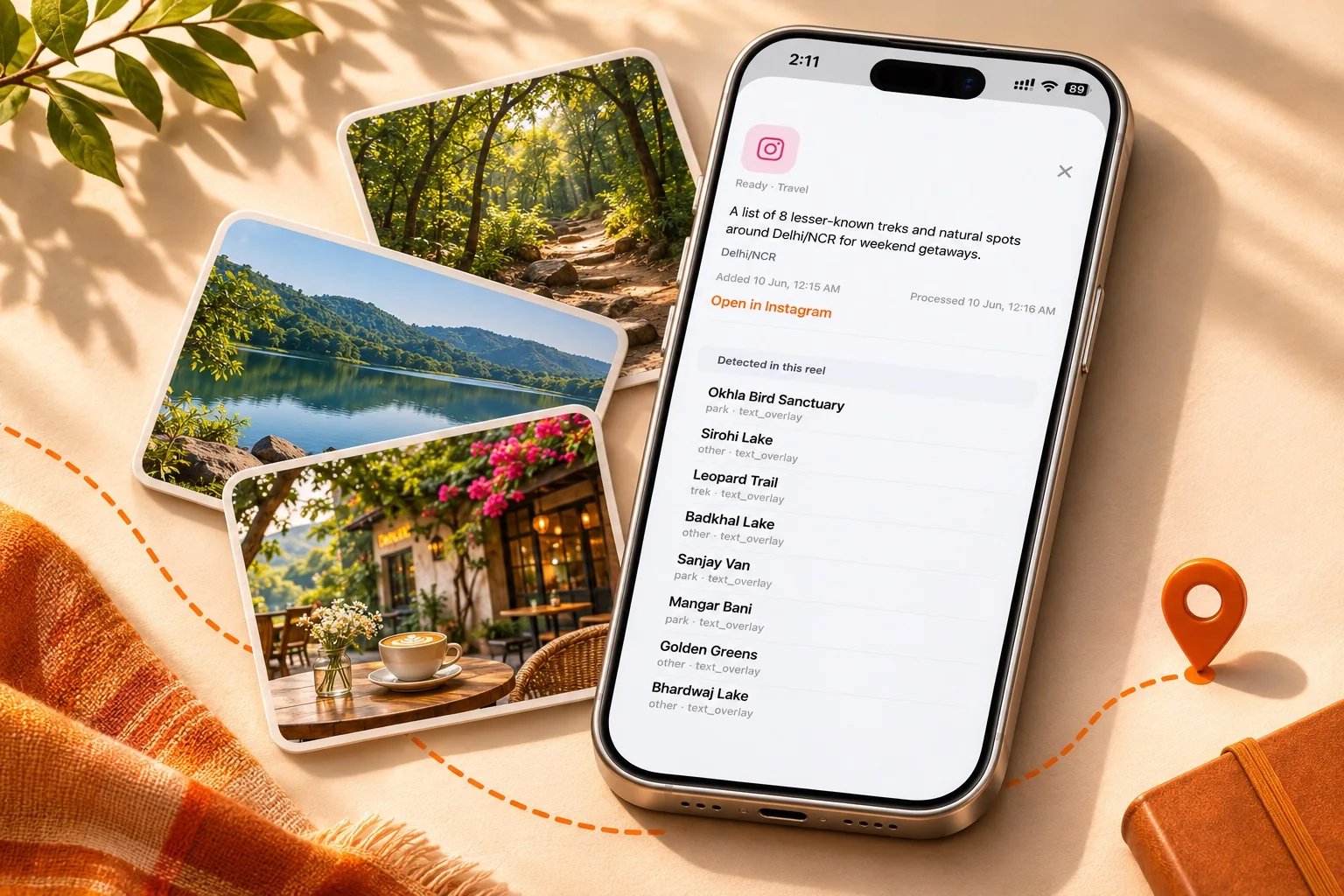
A reel can tell you where you want to go without giving you a route you can follow. Walmo’s workflow has two distinct parts: bring a reel into the app, then use the extracted locations to build a trip. Importing a reel is the beginning of planning, not a booking or a guarantee that the suggested day will work.
You can start through Instagram DMs after a one-time connection, or use your phone’s share menu to send the reel directly to Walmo. Pick whichever fits how you already collect inspiration.
The short version
- Instagram DMs require a token-based connection first.
- Direct sharing lets you send a reel to Walmo without connecting Instagram.
- Review extracted places before putting them into a day plan.
Option one: connect Instagram, then DM reels
In Walmo, generate the connection token. Open the official @walmo.app Instagram profile and send that token in a direct message. This links your Instagram account with your Walmo app account. Use the token generated for this connection flow; you do not need to send your account password.
Once connected, share a reel to @walmo.app through Instagram DMs. Walmo picks up the submitted reel for processing, extracts the locations it can identify, and saves them to your custom saved-places folder. The connection step is separate from sending each new reel.
- Generate the connection token in the app.
- DM the token to the official @walmo.app account.
- After connecting, send the reels you want processed.
- Review the resulting places in your saved folder.
What to check after processing
Open the saved folder and review the places Walmo found. Similar names, unclear captions, and incomplete information can make a place difficult to identify. Treat extraction as an aid to discovery, and check that the venue or location is the one you intended before traveling.
Importing one reel does not import your entire saved Instagram collection. Send the reels you want to use. This also gives you a chance to leave out duplicates, old recommendations, and places that no longer fit this trip.
From a folder to a day-by-day itinerary
Choose your destination and travel dates, then use the relevant saved places when planning the trip in Walmo. Review the resulting sequence on the map. Put accommodation, travel days, and any fixed booking into the real-world plan before treating the day as settled.
For example, imagine an illustrative collection with two cafés, a temple, a viewpoint, and a waterfall. A better next step is to check their locations and select a main outing, not to fit all five between breakfast and lunch. A route can look compact while road access, opening times, or walking effort make it slower.
What a reel cannot confirm for you
A video may have been recorded in a different season or before a business changed its hours. Recheck official access information, current opening times, reservations, and any activity requirements. Walmo is not a substitute for a confirmed booking or local access advice.
Your saved places and itineraries can be accessed offline, while map tiles need an internet connection. Prepare for that distinction if you expect weak connectivity during the trip.
Keep the next step small
Start with a handful of reels for one destination. Review the extracted locations, make a shortlist, and create a plan with spare time. Our companion article on planning around saved places explains how to turn that shortlist into days without packing every hour.
Questions before you go
Do I have to connect Instagram to use Walmo?+
Not for direct sharing. The token connection is for the Instagram DM route; you can instead share a reel straight to the app.
Does connecting Instagram automatically import every saved reel?+
This walkthrough covers reels you submit through DMs or direct sharing. It does not describe an automatic import of your entire saved collection.
Does saving a place book it?+
No. Confirm reservations, entry requirements, and opening information separately.
Sources & editorial notes
Researched on 3 November 2026. Destination facts use the sources below; route choices, suggested pacing, and comparisons are Walmo editorial recommendations. This is desk research, not a report of a recent on-site visit. Travel details can change.
The Walmo steps reflect the product workflow described by the team and the app materials. Interface wording can vary by version.
Your next trip starts with a place.
Bring your saved reels and favorite spots together in Walmo.
Get Walmo for iOSMAKE IT YOUR OWN